Summer Icons: A Versatile Design Resource for Web, Mobile, and Print Projects
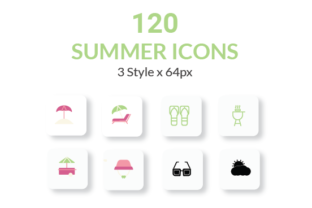
Designers and developers working on mobile apps, websites, or marketing materials often face the challenge of finding cohesive, scalable, and flexible icon sets that fit a variety of visual styles and project requirements. Summer Icons is a comprehensive icon pack created to meet these needs, offering 120 unique icons across three distinct styles — Line, Solid, and Flat — all crafted with pixel-perfect precision and visual consistency.
Real-World Applications of Summer Icons
Whether you're building a travel app, launching a summer-themed marketing campaign, or designing a responsive website for a resort, Summer Icons provides a visual language that's both seasonal and adaptable. These icons are especially useful for projects that require a fresh, vibrant aesthetic with a touch of warmth and energy.
For example, a mobile app developer creating a weather tracking app might use the sun, cloud, and wave icons from the set to build an intuitive UI. Similarly, a web designer working on a food delivery platform with a summer menu can incorporate icons like ice cream, lemonade, and beach chairs to enhance user engagement.
Designed for Flexibility and Compatibility
Summer Icons is built to integrate seamlessly into modern design workflows. The package includes Adobe Illustrator project files, making it easy to edit and customize each icon. Additionally, the icons are available in SVG, PNG, and EPS formats — ensuring compatibility across both digital and print environments.
- Web designers can easily scale SVGs for responsive layouts without losing quality.
- Print designers benefit from high-resolution EPS files for brochures, posters, or packaging.
- UI/UX professionals appreciate the consistency across all 120 icons, ensuring a polished look in app interfaces.
Customization That Fits Your Brand
One of the standout features of Summer Icons is its high degree of customizability. Each icon can be adjusted in terms of color, size, and stroke width. This flexibility makes it easier to match your brand's visual identity or adapt the icons for light and dark themes within the same project.
For instance, a SaaS startup might use the same set of icons in different color schemes for their dashboard and marketing site. Meanwhile, a freelance designer could tweak the stroke width to suit a minimalist or bold design direction depending on client preferences.
Who Benefits Most from Summer Icons?
This icon set is particularly valuable for professionals who work across multiple platforms and need a consistent visual language. Here are a few examples of how different users might benefit:
- App developers: Use Summer Icons to create intuitive navigation and visual cues in mobile applications, especially those focused on lifestyle, travel, or seasonal content.
- Marketing teams: Incorporate these icons into social media graphics, email campaigns, or landing pages to create a cohesive visual theme that resonates with summer audiences.
- Freelance designers: Add Summer Icons to your toolkit for client projects that need a seasonal touch without sacrificing professionalism or scalability.
- E-commerce brands: Use the icons in product descriptions, infographics, or promotional banners to enhance visual storytelling and improve user experience.
How Summer Icons Enhances Design Workflows
Designers using tools like Adobe XD, Sketch, or Figma will find that Summer Icons integrates smoothly into their preferred environments. The included design files are organized and labeled for quick access, reducing the time spent on setup and allowing more focus on creative execution.
Additionally, because the icons are pixel-perfect and consistent in style, they reduce the need for extensive tweaking or redesign. This saves time and ensures that the final product maintains a professional appearance across devices and screen sizes.
Considerations Before Using Summer Icons
While Summer Icons offers a wide range of benefits, it’s important to consider the context in which you'll use them. Since the set has a distinctly summery aesthetic, it may not be ideal for projects that need a more neutral or year-round visual tone. However, with the right customization, many of the icons can be adapted for broader use beyond the summer season.
Another consideration is the licensing model. Always verify the usage rights included with your purchase to ensure compliance, especially if you're planning to use the icons in commercial products or enterprise-level applications.
Strengths and Limitations
What makes Summer Icons stand out is its combination of quality, flexibility, and ease of use. The inclusion of three distinct styles ensures that it can fit into a variety of design systems, while the multiple file formats make it accessible to both beginners and seasoned professionals.
However, like any themed icon set, its seasonal nature may limit its applicability in certain contexts. Designers should also be mindful of overusing icons in a way that could clutter the interface or distract users from core content.
Ideas for Creative Implementation
Here are a few practical examples of how Summer Icons can be used creatively across different platforms:
- Design a summer event website using beach, sun, and palm tree icons to reinforce the event theme.
- Create a mobile fitness app with water bottle, sunglasses, and running icons to motivate users during outdoor workouts.
- Build a vacation rental platform that uses icons like hammock, boat, and surfboard to highlight unique amenities.
- Develop a children's educational app featuring playful icons like seashells, sandcastles, and ice cream cones to keep young users engaged.
Each of these applications demonstrates how Summer Icons can be more than just decorative elements — they can serve functional roles in navigation, branding, and user engagement.